


Set-up: tick, technical aspects: tick, script: tick and content: tick – what could possibly go wrong?
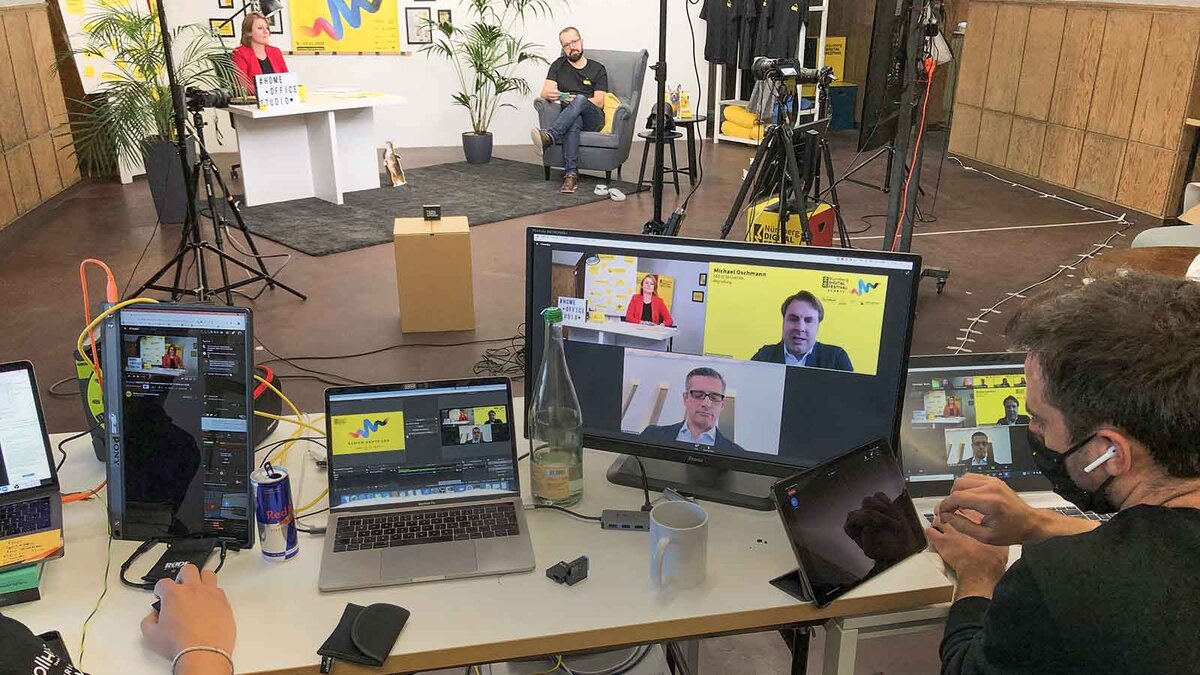
10 Lessons from the Virtualisation of Analogue Press Formats
- Organisation
In many respects, organising a virtual format is more akin to a video shoot than a traditional analogue PR event. At the heart of the preparations – alongside the content! – are tools and production plans, team line-ups and role overviews, as well as the implementation of communication objectives and concepts based on a rigorous script. - Choreography
: As well as content and contributions, press spokespeople also prepare the entire choreography: spontaneity and improvisation can quickly become a gauntlet for the director and co-presenters and negatively affect the ‘look and feel’ of the event. However, if they operate within the framework of a robust script, they can provide that extra touch of authenticity – and thus be the icing on the cake. - Either hybrid or virtual
The decision to opt for a hybrid or fully virtual format should be made at an early stage: until this is done, everyone involved must plan and prepare two formats in parallel. This quickly leads to duplication of effort and costs time, money and nerves. - Tools
Choose your tools wisely; and consult with professionals. Microsoft Teams, Zoom, Edudip, Webex and so on all have different, specific functionalities and, above all, their own individual strengths and weaknesses. That is why your own wishes and requirements should be clarified at an early stage so that you can select the right tool (or setup) for the nature of the format: You’ll need a different tool (or setup) for a press conference than for an individual product presentation, an interactive workshop with several small groups, or an open public consultation session with local politicians and remote experts. - Technical
support: In addition to the main moderator, our experience suggests that a technical support team (the size of which varies greatly depending on the situation) is required to manage the tool being used. This requires specialists who can also handle technical queries from speakers and participants. Many potential issues can be identified in advance and solutions prepared. - Technical
Equipment You absolutely need reliable technical partners for camera, lighting, sound, production, etc. You should be as unaware of these aspects as possible so that you can concentrate on your event. Ensure these roles are filled by professionals and prioritise good teamwork. Furthermore, a test run beforehand is essential. - Interaction
A Q&A session at the end of a virtual event is rarely as effective as it is in a face-to-face setting – too many topics and questions from participants get lost by that point. It is simpler – and, above all, more engaging – to allow questions directly: via chat, audience members can be involved in a controlled manner, whilst questions can be curated and prioritised in the background. The technical moderator can switch on individual audience members with video and audio, thereby passing on the ‘virtual travelling microphone’.
You should introduce chat functions, polls and other interactive features appropriately – addressing both the speakers and the participants. You set the ‘rules of the game’! - Dress rehearsal
To ensure everything runs smoothly, every active participant should clarify (or have clarified) all technical requirements and conditions in advance. A dress rehearsal or technical check takes 15–30 minutes with 10 speakers; it can be carried out the day before, helps to put everyone’s minds at ease and is therefore a key factor in ensuring success. - Digital press pack
A digital press pack is nothing new, but in a virtual setting it is more important than ever: it has never been easier to get your information to your target audience – and to direct them straight to further content using interactive elements. Make the most of this opportunity: don’t just place your press releases and graphics in a download section; link to them wherever appropriate, such as in a post in the event chat. This allows you to deliver relevant information on specific topics directly to your target audience. - Set-up
In the virtual setting of a press conference, the set-up also changes – and without the constraints of the physical world, the possibilities for customisation are endless. This ranges from digital screen backgrounds in your corporate design, through to breakout rooms and parallel sessions for in-depth discussions in small groups, virtual whiteboards, VR product presentations using a digital twin, right through to providers such as Play.workadventu.re, who virtually recreate entire trade fair settings using a gamification approach: The stage is yours!
Conclusion:
In the virtual space, the organisational effort required in the run-up to a PR event is comparatively greater – of course, depending on the creativity and ingenuity of the organisers, technology is patient and scalable. However, the technical possibilities in the virtual environment are also more diverse. Whether analogue, hybrid or purely virtual – ultimately, the results must be right!
Your contact person

When it comes to virtual PR formats
it all comes down to the right set-up.
Andreas Schauerte
+49-911-530 63-117
asc@kaltwasser.de
https://www.linkedin.com/in/andreas-schauerte-kk